
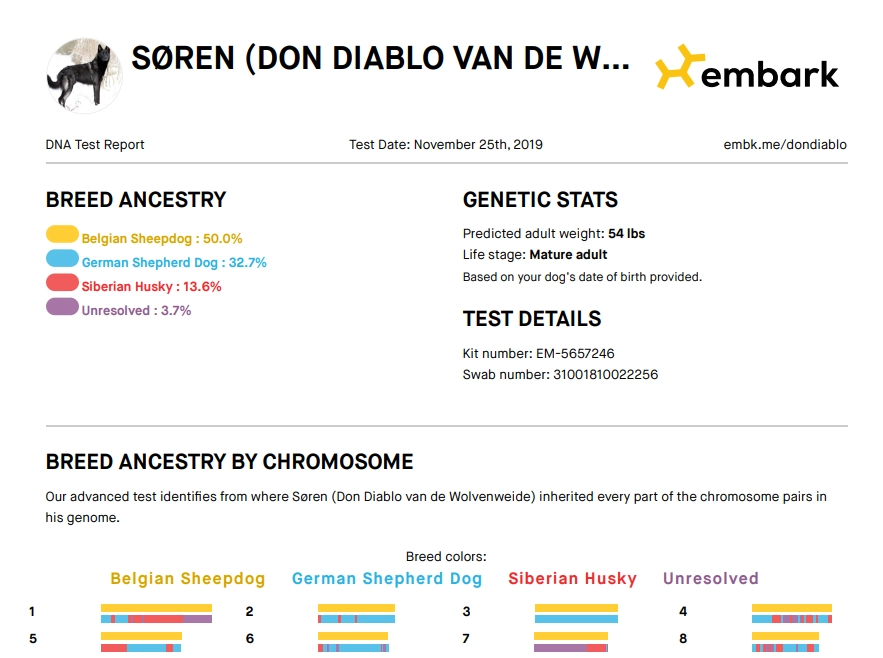
We’re gathering genomic data from every dog to better document health and coat characteristics, calculate the expected genetic coefficient of inbreeding (COI) for planned pairings, verify parentage, and monitor the breed’s overall genetic diversity. You can contribute your dog’s Embark data by following the steps below:
Step 1. Sign into your Embark account at www.embarkvet.com.
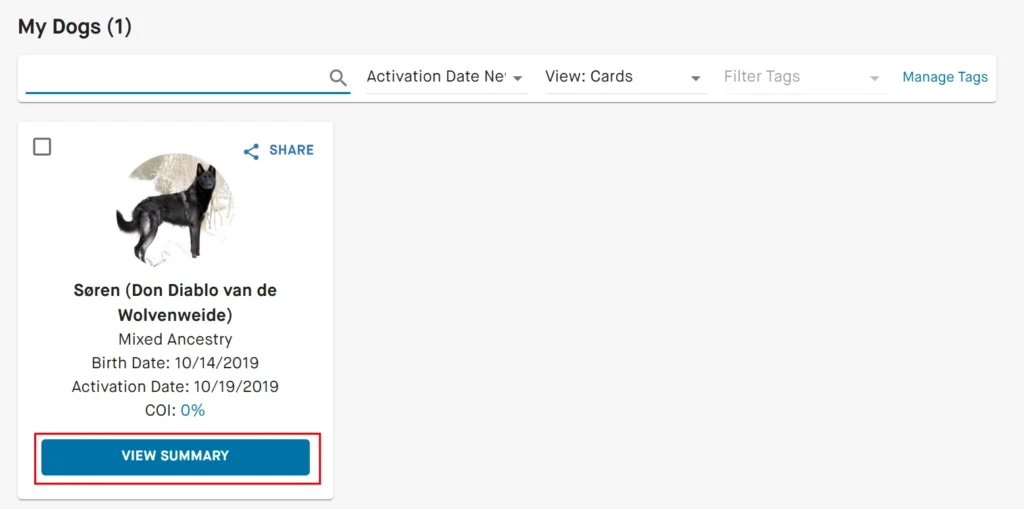
Step 2. Scroll down to My Dogs. Choose your dog and click on View Summary.
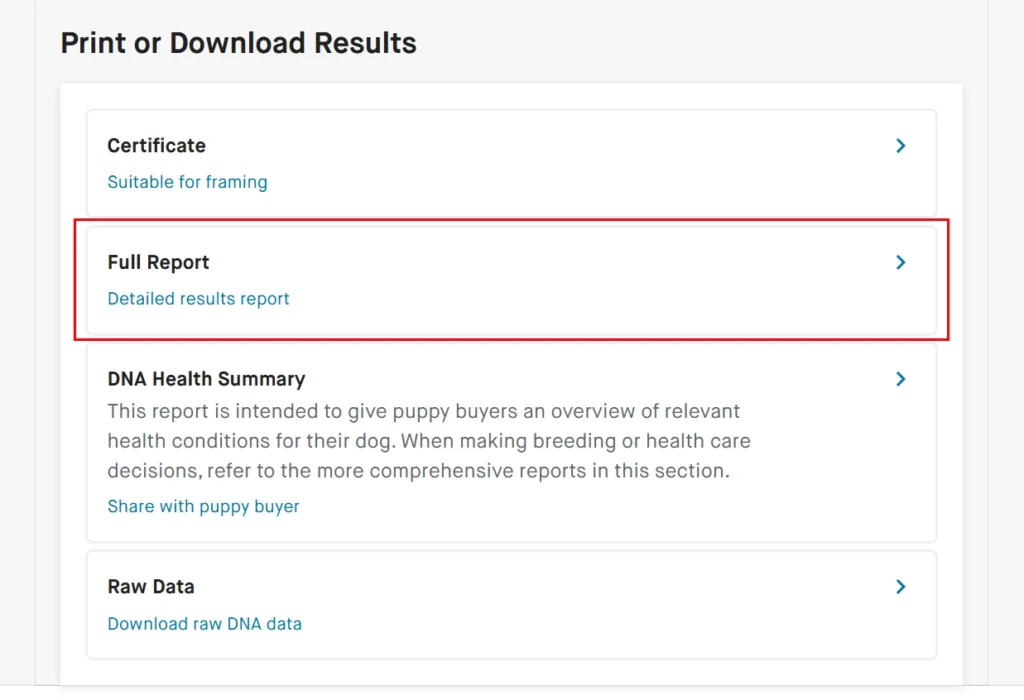
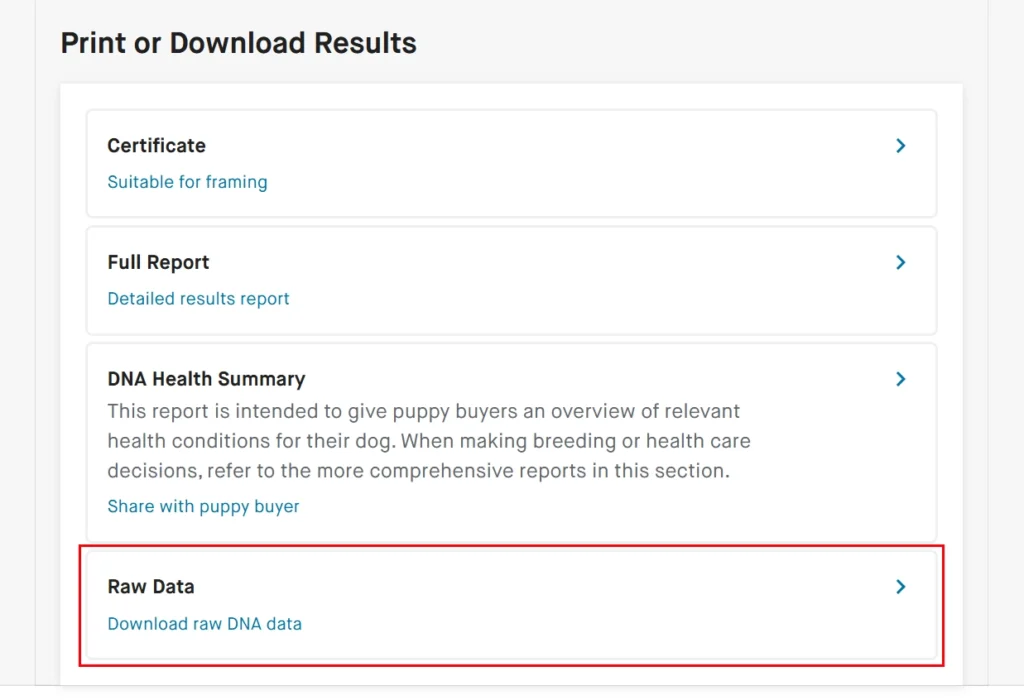
Step 3. Scroll down to the bottom till you find the section Print or Download Results.
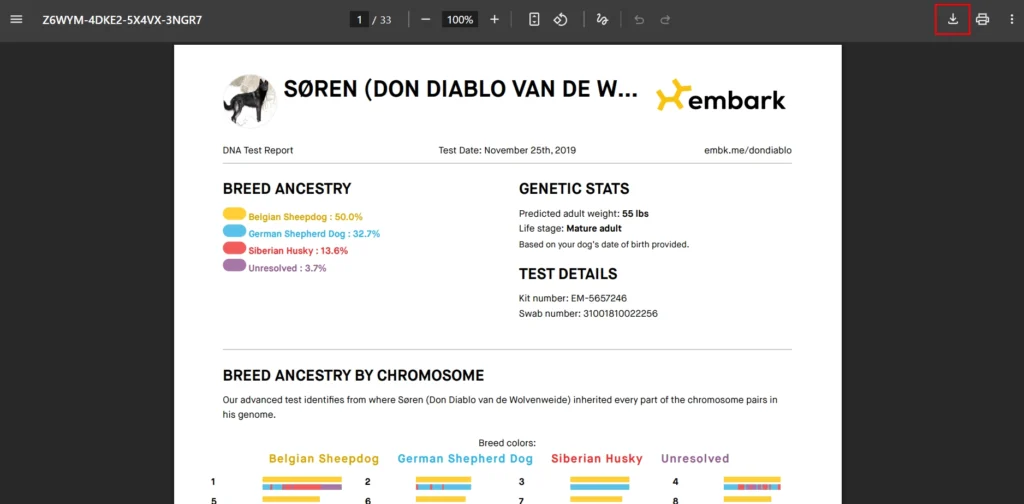
Step 4. Click on Full Report. A pdf file should load in the browser displaying your dog’s full report. Download this report by clicking the download icon (top right of browser window), or by clicking the right mouse button and then choose Save as. The pdf file should now be downloaded to your device and saved in your local Downloads folder.
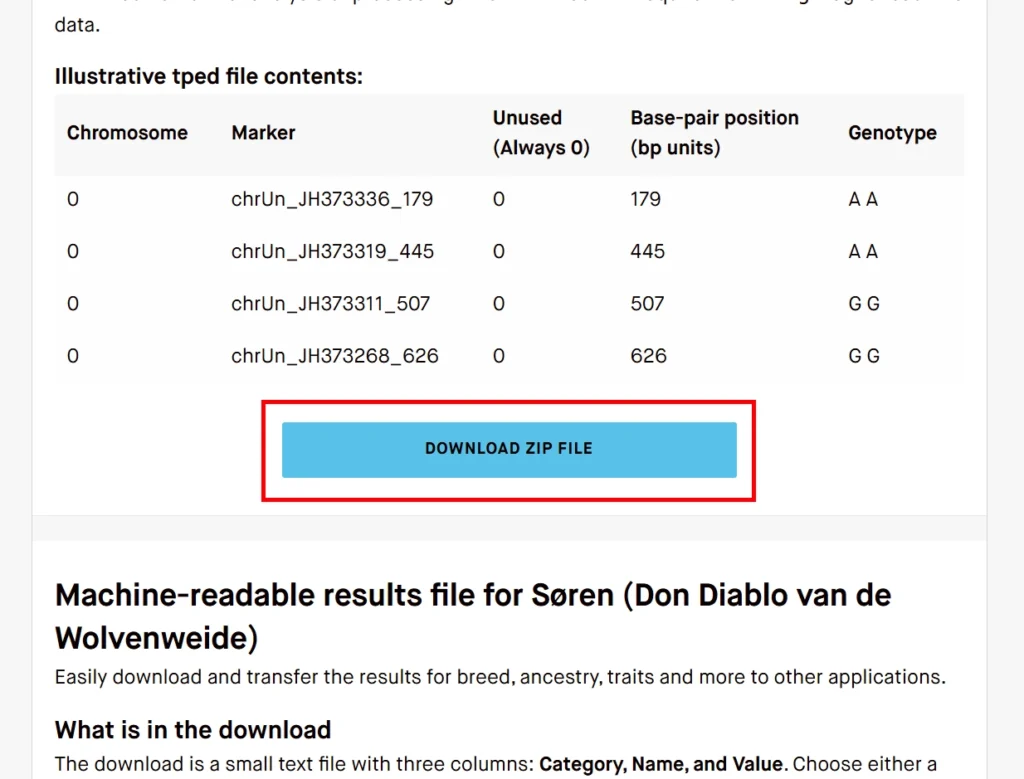
Step 5. Go back to the Summary page and repeat Step 3. This time click on Raw Data. A new page will open, scroll down and click on the big blue button that says DOWNLOAD ZIP FILE. The zip file should now be downloaded to your device and saved in your local Downloads folder. You do not need to unpack the zip file.
Step 6. Send us the files. You can email the files to us at info@tamaskandogassociation.com. If you are a member of the Tamaskan Dog Association you may also use the form below.
This content is only available to members of the Tamaskan Dog Association. If you’re already a member, please login to continue.